
CricPlus Login ID Not Working? 10 Reasons and How to Fix Each One
If your CricPlus login ID is not working, the cause is usually an unofficial look-alike site, an email or phone number typed instead of your username, a mistyped password, or a security lock. Check you are on cricplus.support, re-enter your exact username and password, and contact official CricPlus WhatsApp support if your account is locked.
CricPlus.Support is an official CricPlus domain that gives existing CricPlus account holders secure login, live odds and account support on the same CricPlus platform. For normal sign-in steps, see the CricPlus login guide. See also why CricPlus.Support is the safest way to access your account.
Key facts (as of October 2026)
- CricPlus.Support login uses a username + password, not email, phone number or OTP.
- The only official CricPlus domains are cricplus.support, cricplus.red, cricplus.help, cricplus.bz and cricplus.com.co (official list).
- Accounts get locked for one ID on 2+ devices at once, multiple IDs on one device, repeated failed logins or resets, hacking or modifying attempts, or other suspicious activity.
- Unlocks, ID issues and password resets happen only through official CricPlus WhatsApp support, which never asks for your password or a payment.
Official help: Chat with CricPlus Support on WhatsApp
CricPlus login ID not working? What can I check in 60 seconds?
Run these six checks on CricPlus.Support first. They cover the simple causes of a failed CricPlus login and take about a minute.
- Check the address. The address bar must show cricplus.support, cricplus.red, cricplus.help, cricplus.bz or cricplus.com.co. Type it yourself or use a bookmark.
- Use your username. Enter your CricPlus username exactly as issued, not your email or phone number.
- Type the password by hand. Turn caps lock off, clear any autofilled password and check for extra spaces.
- Use one device at a time. Log out everywhere else, because one ID used on two or more devices at the same time gets locked.
- Finish any security step. If CricPlus.Support asks for a new password or username after login, complete it.
- Stop and ask for help. Do not keep retrying or requesting resets. Message official CricPlus support on WhatsApp instead.
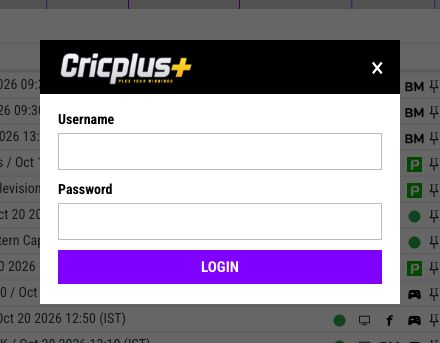
What does my CricPlus login problem mean?
Match what you see on CricPlus.Support to the likely cause, then go to that reason.
| What you see | Likely cause | Fix |
|---|---|---|
| Page asks for email or OTP, or the address is not on the official list | Look-alike site (Reason 1) | Close it; type cricplus.support yourself |
| Username or password reported as wrong | Email/phone used, or password typo (Reasons 2–3) | Re-enter username; type password by hand |
| Asked for a new password or username after login | First-login security step (Reason 4) | Complete the change |
| Logged out suddenly, then cannot get back in | ID used on another device (Reason 5) | Log out everywhere; contact support if locked |
| Account locked or suspended message | Security system lock (Reasons 5–9) | Contact official WhatsApp support |
| Page reloads with no login, or an old password keeps filling in | Cache, cookies or saved password (Reason 10) | Clear site data for cricplus.support |
| Site will not load | Network problem or maintenance (Reason 10) | Check connection; try again later |
1. Are you on an unofficial CricPlus look-alike site?
Your CricPlus login belongs only on official CricPlus domains: cricplus.support, cricplus.red, cricplus.help, cricplus.bz and cricplus.com.co. Any other address is not official.
Cause: Look-alike sites are not part of CricPlus, so your login fails, and they may keep the details you typed.
How to check: Compare the address letter by letter with the official domains list. A padlock only means the connection is encrypted. A form asking for email or OTP is a warning sign.
Fix: Close the page and type cricplus.support yourself. If you entered your password elsewhere, ask official CricPlus WhatsApp support to change it. See how to spot a fake CricPlus website.
2. Did you type your email or phone number instead of your CricPlus username?
CricPlus.Support logs you in with a username and password only. An email address or phone number in the username field will always fail.
Cause: Unofficial guides describe email or OTP sign-in, but CricPlus IDs are usernames issued only through official CricPlus WhatsApp support.
How to check: Open the WhatsApp chat where support issued your ID and compare the username character by character.
Fix: Type the username exactly as issued. If you cannot find it, ask official support rather than guessing.
3. Is your CricPlus password being entered incorrectly?
A small typing error is easy to miss when a CricPlus.Support login fails. Caps lock, autofill and hidden spaces can all change your password.
Cause: Caps lock, an autofilled old password, or a space copied from a note.
How to check: Check caps lock and clear the password field completely.
Fix: Type the newest password slowly by hand. If you have forgotten it, contact official CricPlus WhatsApp support. There is no email or OTP reset.
4. Did you finish the first-login password or username change on CricPlus.Support?
CricPlus.Support may ask you to set a new password or username right after login, often the first time you use a new ID. Abandoning that screen can make your next login look broken.
Cause: If this security step is left half-done, you may not know which details are current.
How to check: Were you shown a change screen at your last login? If you set a new password, the original one no longer works.
Fix: Log in with your most recent details and complete the change. Choose a strong, unique password and store it in a password manager.
5. Is your CricPlus ID logged in on two or more devices at the same time?
If so, that is a likely reason your ID stopped working. The CricPlus security system locks an ID used on two or more devices at the same time.
Cause: Simultaneous use looks like a shared or stolen account, such as a phone and laptop both logged in.
How to check: List every device and browser where you have logged in.
Fix: Use one device at a time and log out when finished. Only official CricPlus WhatsApp support can unlock the account. If someone else may know your password, tell support.
6. Was your CricPlus account locked after too many failed login attempts?
Multiple failed login attempts lock a CricPlus account, so retrying wrong details on CricPlus.Support makes things worse.
Cause: Repeated failures look like password guessing, so the security system locks the ID to protect it.
How to check: After several tries, even correct details are refused or you see a locked message.
Fix: Stop trying. Send official CricPlus WhatsApp support your username and a screenshot. Support handles the unlock after a security review.
7. Are multiple CricPlus IDs being used on the same device?
Using more than one CricPlus ID on the same device can get those IDs flagged or locked by the CricPlus security system.
Cause: Several IDs on one device is a misuse pattern, even when two people simply share a phone.
How to check: Has a different CricPlus ID been used on your device?
Fix: Keep one ID per person, on that person's own device. Do not request extra IDs as a workaround. If an ID is locked, contact official CricPlus WhatsApp support.
8. Have you made multiple forgot-password requests for your CricPlus account?
Multiple forgot-password attempts can lock a CricPlus account. CricPlus.Support handles password resets only through official CricPlus WhatsApp support.
Cause: A burst of reset requests can signal an account takeover attempt.
How to check: You requested several resets in a short period.
Fix: Make one request through official CricPlus WhatsApp support and wait for the reply.
9. Was your CricPlus account suspended for modified apps, hacking attempts or suspicious activity?
CricPlus suspends accounts linked to any attempt to hack or modify the platform or app, or other suspicious activity that could harm the platform. Only official CricPlus WhatsApp support can review a suspension.
Cause: Modded apps, unofficial APKs, scripts, bots, VPNs, proxies and other tricks to hide your location or bypass regional restrictions can all count as suspicious activity.
How to check: Have you used an unofficial app, a script or a VPN with your CricPlus ID?
Fix: Remove modified apps and scripts, and use CricPlus.Support in a normal browser on an official domain. Do not use VPNs or region-bypass tricks.
10. Is your browser, connection or temporary maintenance stopping CricPlus.Support?
Old cookies, cached files or an outdated saved password can stop CricPlus.Support logging you in. A weak connection or temporary maintenance can stop the site loading.
Cause: Out-of-date site data can make the login page reload without signing you in.
How to check: If login works in a private window, stored site data is the problem. If the site will not load at all, switch between Wi-Fi and mobile data.
Fix: Clear the site data for cricplus.support, then type your login by hand:
- Chrome (computer): Settings > Privacy and security > Third-party cookies > See all site data and permissions, search "cricplus", delete. See Google Chrome Help: Delete, allow and manage cookies.
- Safari (iPhone): Settings > Apps > Safari > Advanced > Website Data. See Apple Support: Delete Safari history, cache and cookies on iPhone.
- Safari (Mac): Safari > Settings > Privacy > Manage Website Data, select the site, Remove. See Apple Support: Clear cache and cookies in Safari on Mac.
Apple notes that removing website data "may reduce tracking, but may also sign you out of websites", so expect to log in again. If the site is down, try again later.
How do I reset my CricPlus password?
CricPlus.Support resets passwords only through official CricPlus WhatsApp support; there is no email or OTP self-service reset. Open Chat with CricPlus Support on WhatsApp, send your username, and follow support's instructions. Send one request only, because repeated attempts can lock the account. Full steps are in the CricPlus login support guide.
When should I contact CricPlus support, and what should I send?
Contact official CricPlus WhatsApp support when you see a locked or suspended message, cannot find your username, or these fixes have not worked.
Send: your username, a screenshot of the error (password hidden), your device and browser, and what happened just before.
Never send: your password, one-time codes, card details, or any payment to "unlock" an account.
The WhatsApp link above is the only official support channel for CricPlus.Support. Anyone else claiming to be support or selling IDs is not official.
Frequently asked questions
Why does CricPlus say invalid username or password?
Your details do not match. Usually an email or phone number was typed instead of the username, or caps lock, autofill or a hidden space changed the password. Re-enter both by hand, and contact official WhatsApp support rather than retrying many times.
Why is my CricPlus account locked?
The CricPlus security system locks accounts for one ID on two or more devices at once, multiple failed logins, multiple IDs on one device, multiple forgot-password attempts, hacking or modifying attempts, or other suspicious activity. Only official CricPlus WhatsApp support can unlock it.
Can I log in with my phone number?
No. As of October 2026, CricPlus.Support uses username and password login only. Use the username issued by official CricPlus WhatsApp support, not your phone number or email.
Why does CricPlus keep logging me out?
Your browser may be clearing cookies, you may be in a private window, or your ID may be in use on another device. One ID used on two or more devices at once can be locked, so log out elsewhere and never share your login.
Does a VPN affect CricPlus login?
Do not use a VPN to reach CricPlus.Support. Hiding your location can be treated as suspicious activity that leads to suspension.
How long does an account unlock take?
There is no fixed time. Each unlock depends on the security review of your account and is handled only by official CricPlus WhatsApp support. Never pay anyone who offers a faster unlock.
Will support ask for my password?
No. Official CricPlus support never asks for your password, one-time codes or a payment to unlock your account. If someone claiming to be support asks, stop replying.
What if I forgot my username?
Contact official CricPlus WhatsApp support, the only channel that issues CricPlus IDs. Do not keep guessing or ask anyone else for a new ID, as failed attempts and multiple IDs on one device can lock your account.
18+ only. Play responsibly. Betting involves risk of loss. Set deposit and time limits and never bet money you can't afford to lose. Free, confidential help: GamCare (gamcare.org.uk), Gambling Therapy (gamblingtherapy.org), GambleAware (gambleaware.org). Check the laws where you live.